Dobble (also known as Spot It!) is a fast-paced visual matching game built around one clever concept: any two cards share exactly one common symbol. Because of this mathematical structure, creating a balanced Dobble deck by hand can be surprisingly complex. That’s where online Dobble generators come in.
Online Dobble generators help educators, game designers, and hobbyists quickly create custom decks for learning, entertainment, or prototyping.
Below are three common online Dobble generators: MacRusher, Streamlit App, and Dobble Maker, each offering a different approach to building Dobble-style card sets.
Table of Contents
1. MacRusher
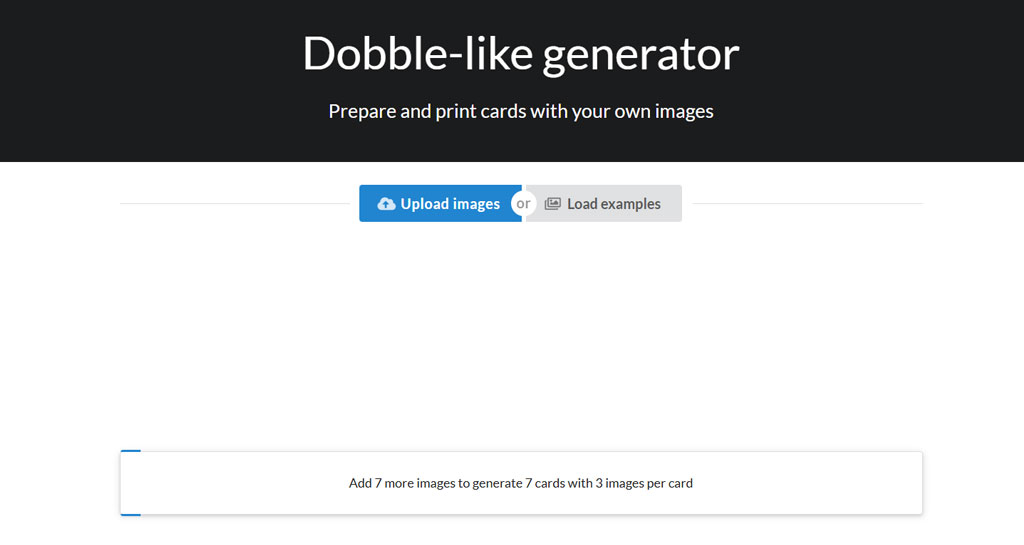
MacRusher is one of the more straightforward online tools for generating Dobble-style cards. It focuses on the core logic of symbol distribution, ensuring that every pair of cards shares exactly one matching image.
Key Features
- Automatically generates mathematically correct Dobble decks
- Simple interface with minimal setup
- Suitable for quick experimentation and small projects
Best Use Cases
MacRusher works well for users who want to understand the structure of Dobble cards or need a fast way to create a basic deck. Teachers introducing logic games in math classes or designers testing symbol combinations often appreciate its simplicity.
Pros
- Easy to use with no learning curve
- Reliable card logic
- Ideal for beginners
Limitations
- Limited customization options
- Visual design features are basic
- Less suitable for polished, print-ready decks
MacRusher is best viewed as a functional generator rather than a design tool, making it a solid starting point for Dobble experiments.
2. Streamlit App
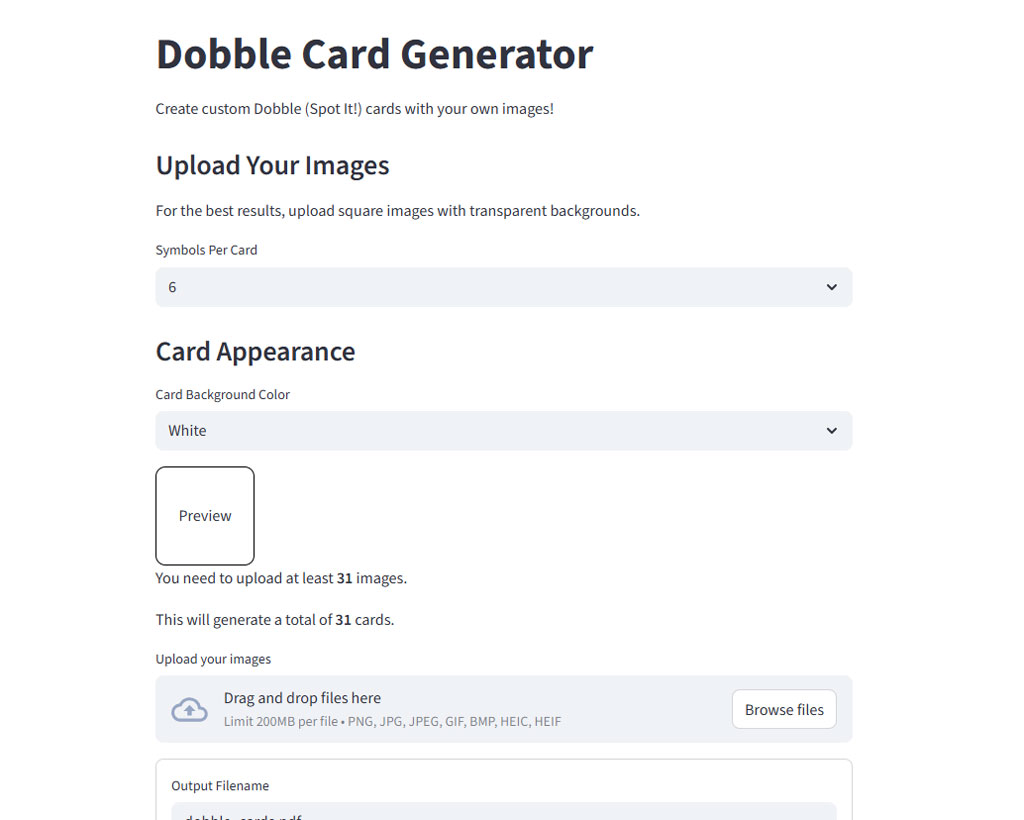
Streamlit-based Dobble generators are typically developer-built web apps created using Python and the Streamlit framework. While not always branded under a single name, many “Streamlit Dobble Apps” are available online and share similar functionality.
Key Features
- Interactive controls for symbol count and card size
- Dynamic preview of generated cards
- Often open-source or customizable
Best Use Cases
Streamlit Dobble apps are ideal for educators, developers, and advanced users who want more control over how cards are generated. They are commonly used in STEM education, coding projects, or experimental game design.
Pros
- Flexible parameters
- Real-time generation and previews
- Great for learning math, logic, and programming concepts
Limitations
- Requires some technical comfort
- Visual styling may be limited
- Output may need extra formatting for printing
If you enjoy tinkering or want to integrate Dobble generation into a larger project, Streamlit apps offer powerful flexibility.
3. Dobble Maker
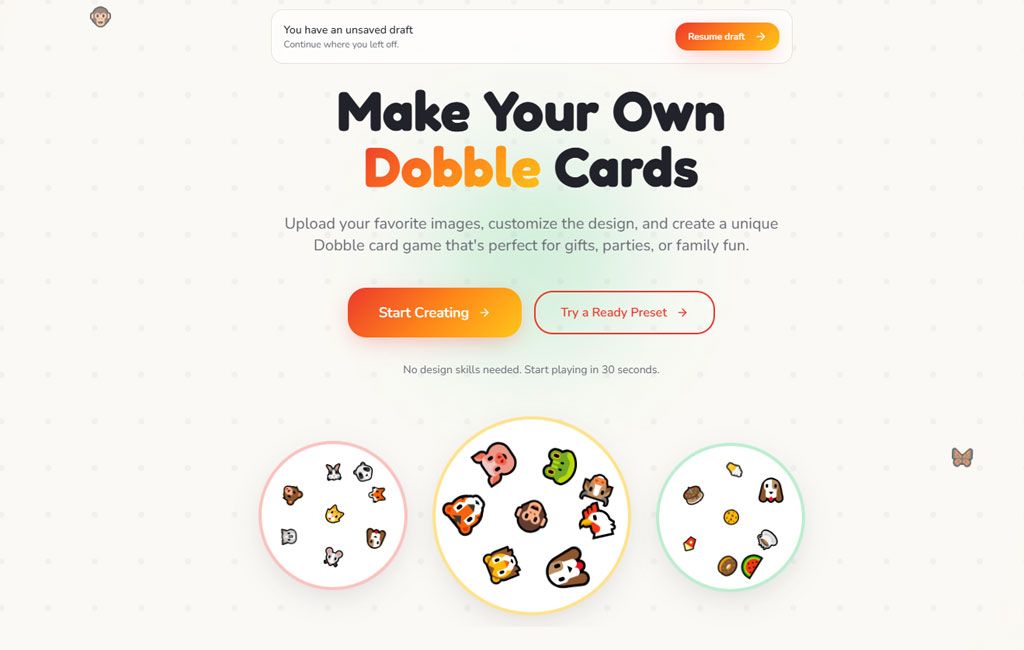
Dobble Maker is designed with usability and customization in mind. It is often favored by educators and creators who want to produce Dobble-style games that look good and are easy to use in classrooms or commercial settings.
Key Features
- Upload custom images or icons
- Control the number of symbols per card
- Export cards in printable formats
Best Use Cases
Dobble Maker is ideal for teachers, homeschoolers, and game publishers who want themed decks—such as vocabulary, animals, math symbols, or classroom rules.
Pros
- User-friendly interface
- Strong visual customization
- Print-ready output
Limitations
- Some advanced features may require payment
- Less focus on technical logic explanation
Dobble Maker bridges the gap between game logic and design, making it a popular choice for practical, real-world use.
Comparison Chart
| Feature / Tool | MacRusher | Streamlit App | Dobble Maker |
|---|---|---|---|
| Ease of Use | ⭐⭐⭐ | ⭐⭐ | ⭐⭐⭐⭐ |
| Customization | ⭐ | ⭐⭐⭐ | ⭐⭐⭐⭐ |
| Visual Output Quality | ⭐ | ⭐⭐ | ⭐⭐⭐⭐ |
| Print-Ready Export | ❌ | ⚠️ (Needs formatting) | ✔️ |
| Technical Control | ⭐ | ⭐⭐⭐⭐ | ⭐⭐ |
| Ideal For | Beginners, quick generation | Developers, advanced users | Teachers, creators |
| Upload Custom Symbols | ❌ | ✔️ | ✔️ |
| Real-Time Preview | ⚠️ | ✔️ | ✔️ |
| Supports Themes | ✖️ | ⚠️ | ✔️ |
Choosing the Right Dobble Generator
Each of these tools serves a different purpose:
- MacRusher is great for fast, no-frills generation
- Streamlit Apps are perfect for experimentation and learning
- Dobble Maker excels in customization and presentation
When choosing a Dobble generator, consider whether your priority is speed, flexibility, or visual quality. For classroom activities, customization often matters most. For learning logic or prototyping, simplicity or technical control may be more important.